Overview
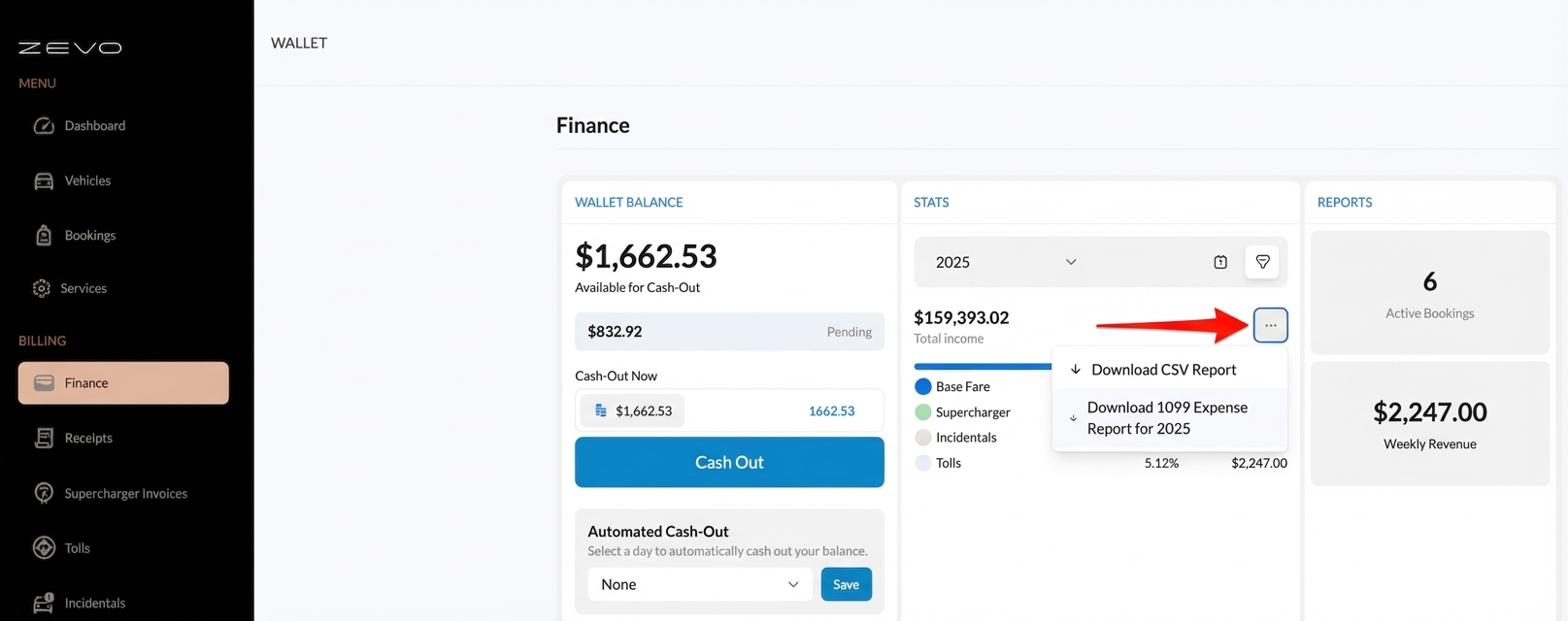
Use the 1099 Expense Report to download an itemized breakdown of your transactions for a selected tax year. This feature was added so hosts have an exact matching report to their auto-generated 1099 form, making accounting and expensing easier.
Steps
- In Zevo Host Dashboard, go to Finance.
- Navigate to Stats view.
- Select the previous year you want to download the report for.
- Select the … (more) icon.
- Choose Download 1099 Expense Report.
What you’ll get
- An itemized transaction breakdown for the selected year.
- Report totals that match your 1099 auto-generated form.