💡 Please note that your SF Key needs to be setup prior to accepting your first rental on ZEVO and while you physically have your vehicle in possession.
🛑 KEY STEPS BEFORE STARTING:
- Be physically present in your vehicle
- Have your Tesla App set up with your vehicle connected to it
- Make sure your phone is connected via Bluetooth to your vehicle
- Once you've completed the above steps, follow the instructions to install your fleet key
Option 1: Bluetooth via the Standard Fleet iOS App
- Download the latest version of the Standard Fleet iOS app
- Authorize bluetooth access
- Fleet keys can only be added when you are within bluetooth range of the vehicle. Once you are nearby, the key will automatically be installed. You will receive a push notification from Tesla as confirmation
Option 2: Via the Tesla App
- Install the Tesla app on your phone
- Select the Vehicle on the Tesla App you wish to pair the fleet key to
- Setup your Phone Key
- Open this link in your favorite web browser on the phone: https://tesla.com/_ak/app.standardfleet.com
- Open the Tesla app and make sure it is signed in to the account that owns the vehicles you’d like to setup and has a phone key paired to them.
- To verify that you own the vehicle you want to set up, the Security tab should show “Security & Drivers”

- To verify that you own the vehicle you want to set up, the Security tab should show “Security & Drivers”
- Swipe over to, or select, the vehicle you want setup with the virtual key.
- Go back to the web browser and click “Finish Setup” on the page.
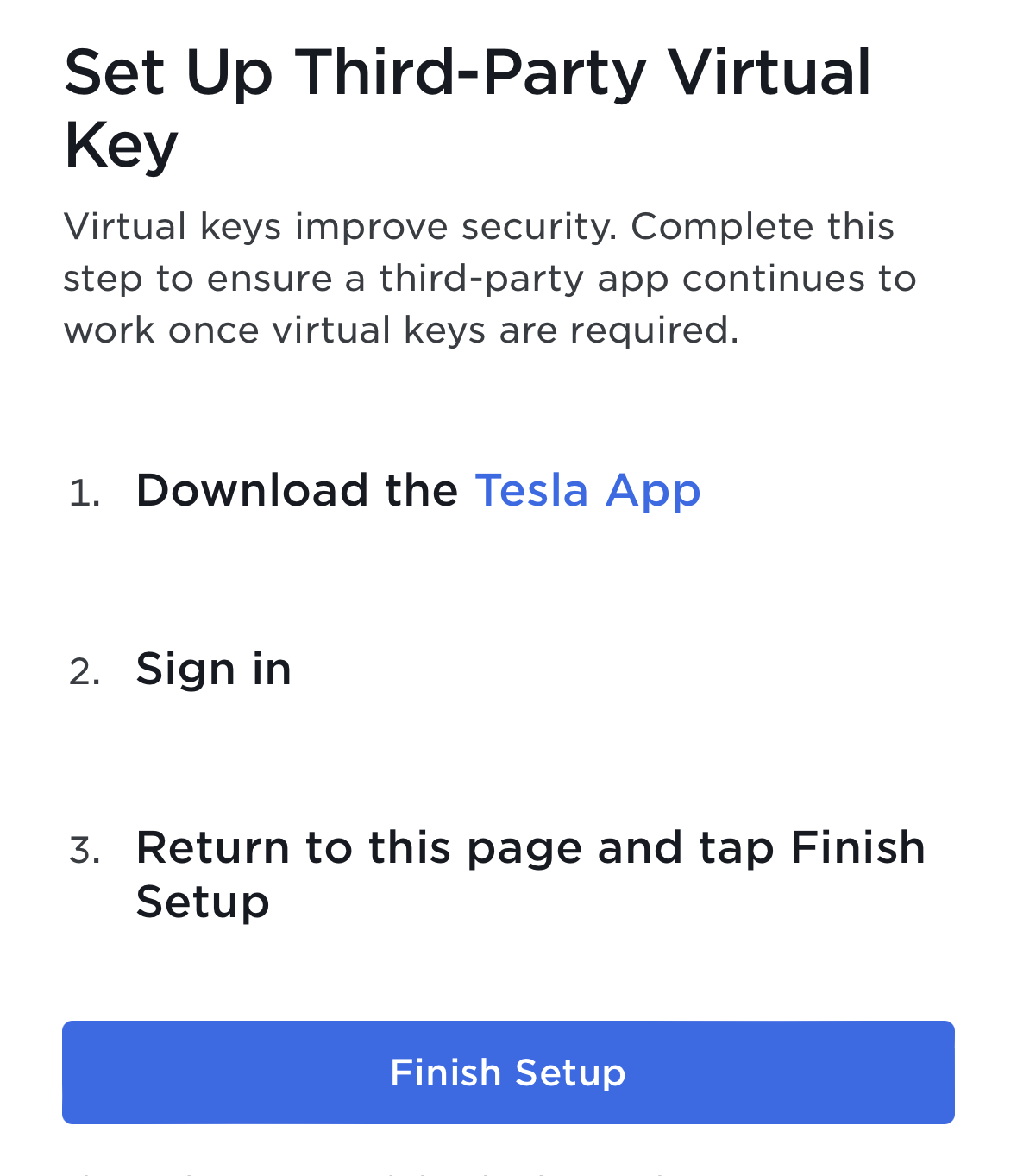
- Wait for the Tesla app to appear. This should prompt to allow app.standardfleet.com to be added as a key. Tap “Approve”
- If nothing appears after the Tesla app opens: Force close the Tesla app and click Finish Setup again.
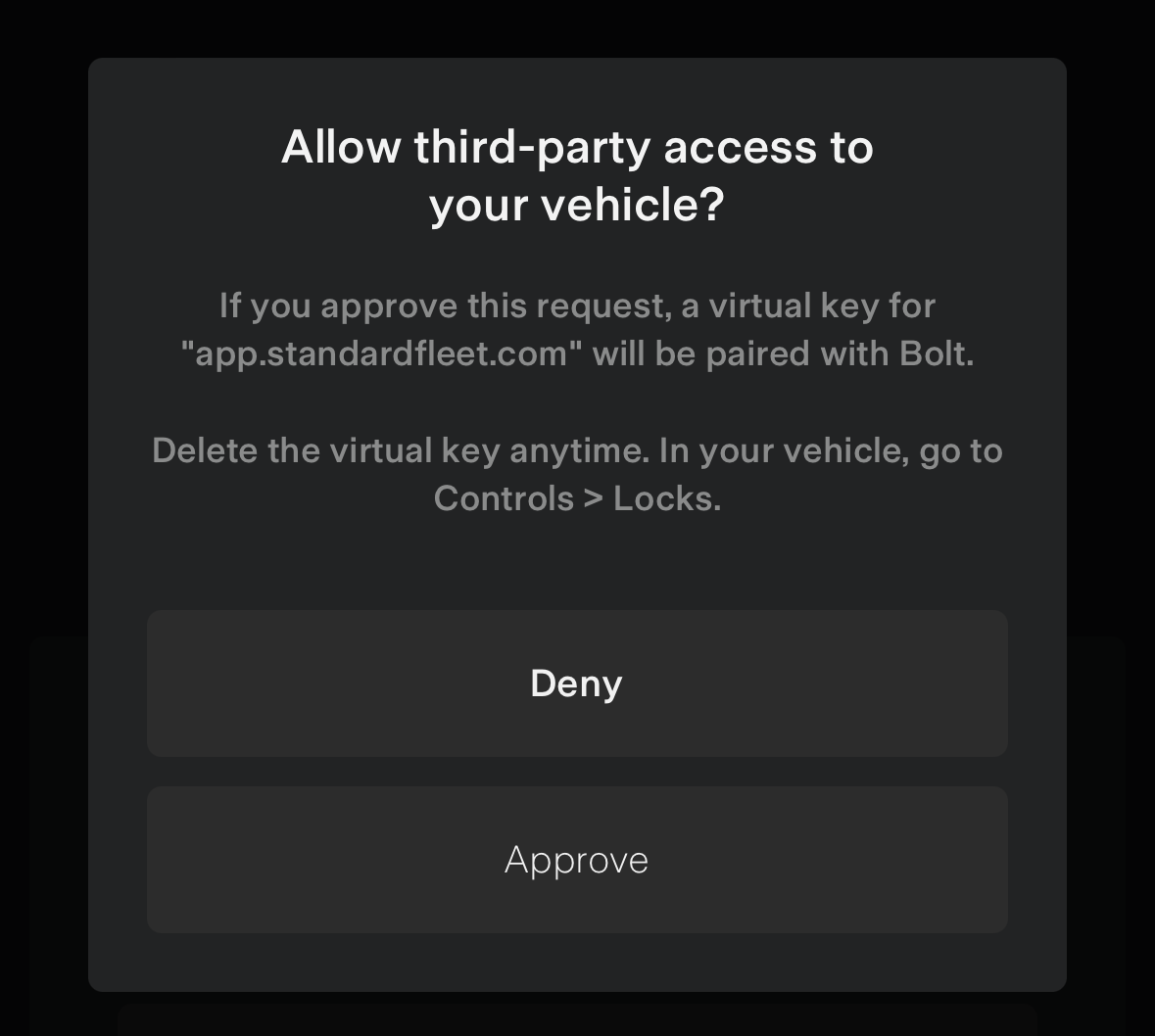
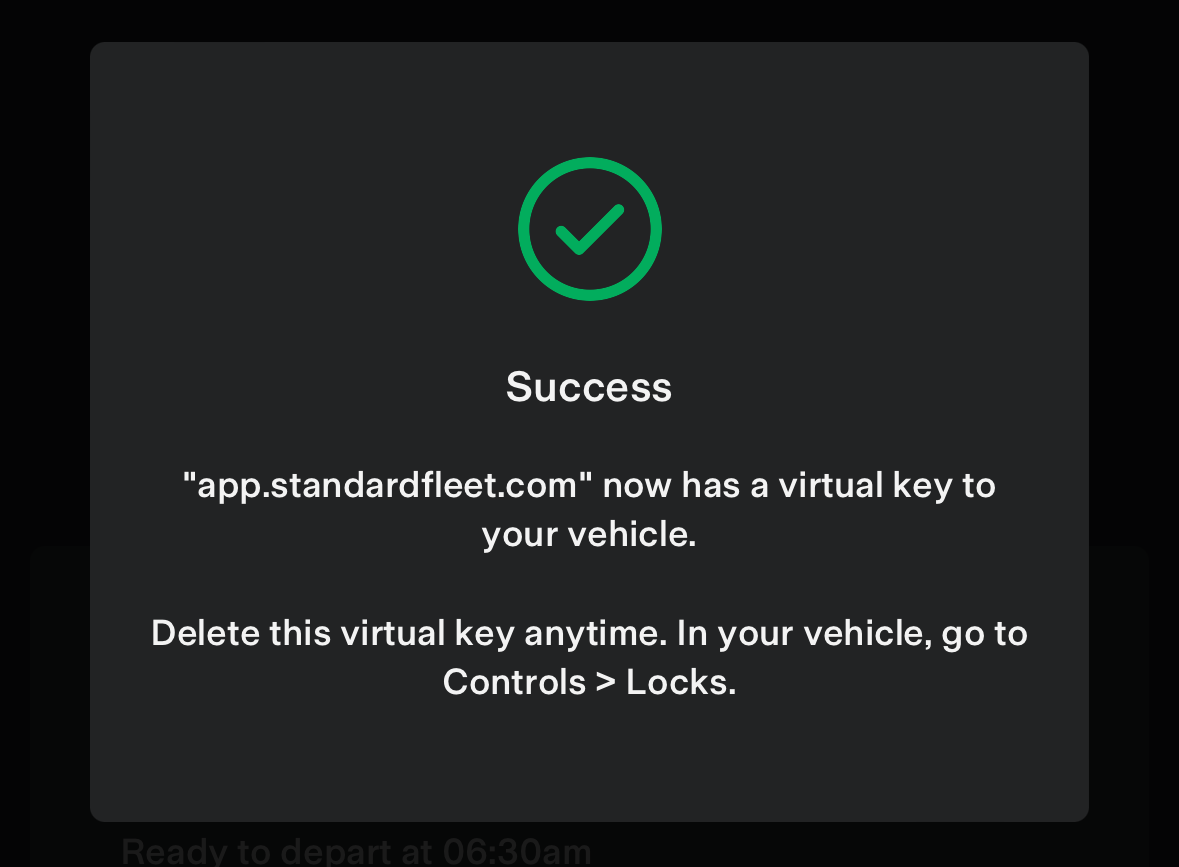
- Repeat steps 4 through 6 for every other vehicle you’d like to set up.
- If it asks for a key card tap, please do so, this is will allow a higher-permission fleet key on the vehicle which may be required for features like pin-to-drive
Troubleshooting
If you see this message, you need to add a phone key for that vehicle in the Tesla app.
💡 Why Setting Up a Standard Fleet Key is Critical: